RAG Fails More Than You Think — Here's Why
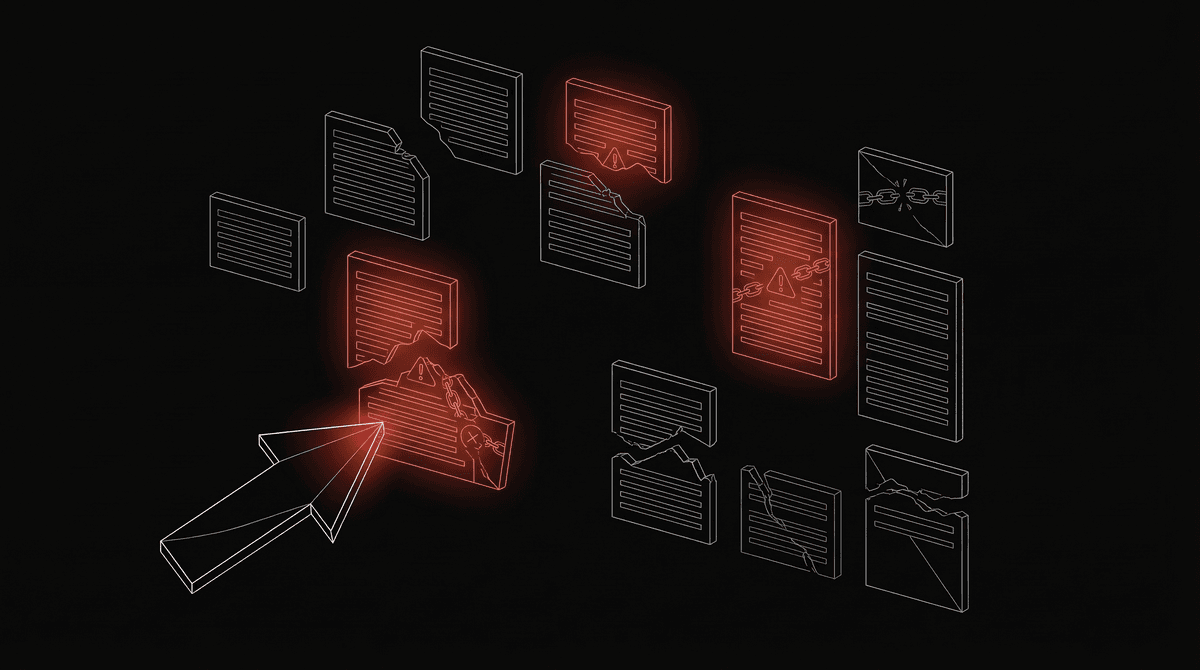
RAG sounds simple. In practice, every step can fail in ways that produce confident, plausible, wrong answers. Seven failure modes — bad chunking, embedding mismatch, stale indexes, and the fixes for each.
RAG sounds simple. Retrieve relevant chunks, insert into prompt, generate answer. In practice, every step can fail in ways that produce confident, plausible, wrong answers.
The insidious part: RAG failures look like correct answers. The LLM sounds confident. The response cites documents. But the answer is wrong because the retrieval was wrong, or the model ignored the retrieval, or the chunk was incomplete.
Here are the seven failure modes I've seen in production.
1. Bad Chunking: The Split-Brain Problem
What breaks: A critical piece of information spans two chunks. The retriever finds one chunk, misses the other. The LLM generates a partial or incorrect answer.
Example:
Document:
"The recommended dosage of metformin for pre-diabetic patients is 500mg
twice daily. However, patients with renal impairment (eGFR below 30)
should not take metformin. In such cases, consult endocrinology for
alternative medication."
Bad chunking (splits mid-paragraph):
Chunk 1: "The recommended dosage of metformin for pre-diabetic patients
is 500mg twice daily. However, patients with renal"

Chunk 2: "impairment (eGFR below 30) should not take metformin. In such
cases, consult endocrinology for alternative medication."
User asks: "Can a patient with kidney problems take metformin?"
Retriever finds Chunk 1 (mentions metformin, dosage). Misses Chunk 2 (the actual answer about renal impairment). The LLM responds: "Yes, metformin 500mg twice daily is recommended for pre-diabetic patients."
Wrong. And dangerous in a medical context.
Fix: Use semantic chunking that respects paragraph boundaries. Add overlap (50-100 tokens) so boundary information appears in both adjacent chunks. For critical documents, manually review chunk boundaries.
2. Embedding Mismatch: Wrong Language, Wrong Space
What breaks: The embedding model doesn't understand the domain or language of your documents. Retrieval returns irrelevant results.
Example: Your documents are in Hindi medical terminology. Your embedding model was trained primarily on English general text. The query "metformin ki dosage kya hai?" doesn't embed near the English chunk about metformin dosage because the embedding model treats Hindi and English as distant in vector space.
Or: Your documents use domain-specific jargon. "LVEF" (left ventricular ejection fraction) and "heart pumping efficiency" should be semantically close. A general-purpose embedding model might not recognize this equivalence.
Fix:
- Choose an embedding model with strong multilingual support (Cohere embed-v3, OpenAI text-embedding-3) for non-English content
- For domain-specific retrieval, fine-tune the embedding model on your domain data, or use a domain-specific model
- Test retrieval quality on real queries before building the full pipeline. Run 50 test queries and check whether the top-5 retrieved chunks actually contain the answer.
3. The Model Ignores Retrieved Context
What breaks: The retriever finds the right chunks. They're in the prompt. The LLM ignores them and answers from its training data instead.
Example:
Context (retrieved):
"Our clinic's operating hours are Monday-Saturday, 9 AM to 6 PM.
Closed on Sundays and national holidays."
User: "What are your hours?"
LLM response: "Most clinics operate Monday through Friday, 9 AM to 5 PM."
The model defaulted to its general training data instead of reading the specific context in the prompt.
Why this happens: The LLM's training data is massive. When the question has a "general answer" that the model has seen millions of times, it may produce the general answer rather than reading the specific context. This is more common with:
- Simple factual questions (the model "knows" a general answer)
- Short context chunks (less prominent in the prompt)
- Weak system prompt instructions
Fix:
- Explicit system prompt instruction: "Answer ONLY based on the provided context. If the context doesn't contain the answer, say 'I don't have that information.'"
- Place context near the end of the prompt (recency bias improves attention)
- Use the "no context" test: if the LLM can answer correctly without the context, it might ignore the context. Test with and without context to verify the model is actually using retrieval.
- Temperature 0 (greedy decoding) reduces the chance of the model drifting from the provided context.
4. Retrieval Hallucination: Right Chunks, Wrong Answer
What breaks: The correct chunks are retrieved and the model reads them. But it synthesizes the information incorrectly, combines facts that shouldn't be combined, or draws conclusions not supported by the context.
Example:
Chunk 1: "Patient A has a penicillin allergy." Chunk 2: "Patient B is on amoxicillin therapy."
User: "Does the patient have any drug allergies?"
If the system doesn't properly filter by patient_id, both chunks are retrieved. The LLM might synthesize: "The patient has a penicillin allergy and is currently on amoxicillin, which is a penicillin-class antibiotic. This is a critical safety concern."
This sounds intelligent and cautious. It's also completely wrong — it merged two different patients' records.
Fix:
- Always use metadata filtering (patient_id, document_id) to scope retrieval
- Include source identifiers in the context so the LLM knows which chunks come from which sources
- Ask the model to cite specific chunks when making claims
- Post-generation validation: check whether the answer's claims are actually supported by the retrieved chunks (this can be automated with a second LLM call)
5. The Stale Index Problem
What breaks: Documents were updated but the vector database still contains embeddings from the old versions. The retriever returns outdated information.
Example: A clinic updates its pricing from Rs 1.5L to Rs 2L for IVF. The website is updated. The vector database still has the old Rs 1.5L chunk embedded. The chatbot quotes the old price.
Fix:
- Implement an update pipeline: when a source document changes, re-chunk, re-embed, and replace the old vectors
- Add timestamps to chunks and include a "data as of" qualifier in the system prompt
- For rapidly changing data (prices, availability, status), don't use RAG. Use direct API calls (tool calling) to get real-time information. RAG is for semi-static knowledge, not real-time data.
6. Semantic Gap: The Query Doesn't Match the Answer
What breaks: The user asks a question using different vocabulary than the document that contains the answer. Embedding similarity is too low for retrieval.
Example:
Document chunk: "Ovarian hyperstimulation syndrome (OHSS) is a potentially serious complication of fertility treatment."
User query: "What happens if the hormones are too strong during IVF?"
The user is asking about OHSS, but they don't know the term. Their language is informal. The embedding similarity between "hormones too strong" and "ovarian hyperstimulation syndrome" might be too low for retrieval.
Fix:
Query expansion: Before searching, use the LLM to expand the query with relevant terms:
Original: "What happens if the hormones are too strong during IVF?"
Expanded: "What happens if the hormones are too strong during IVF?
Related terms: ovarian hyperstimulation syndrome, OHSS, overstimulation,
IVF complications, hormone side effects"
Embed the expanded query. The additional terms improve semantic overlap with clinical documents.
Hybrid search: Combine vector search (semantic) with BM25 keyword search (lexical). If the user happens to mention "OHSS" in their question, BM25 catches it even if embedding similarity is low.
7. The "Needle in a Haystack" Problem
What breaks: The answer exists in your knowledge base, but it's buried in a large document and the chunking didn't isolate it. The retriever returns chunks that are topically related but don't contain the specific answer.
Example: A 100-page IVF treatment protocol document. The answer to "when should the trigger shot be given?" is one sentence on page 47. The retriever returns chunks from the "trigger shot" section header area, which discusses what a trigger shot is, not when to administer it.
Fix:
- Smaller chunks with more overlap. Instead of 500-token chunks, try 200-token chunks. More granular retrieval finds the specific sentence.
- Multi-level retrieval. First retrieve the relevant section (large chunk), then retrieve the specific paragraph within that section (small chunk). This narrows down progressively.
- Reranking. After initial retrieval (top 20 chunks), use a reranker model (Cohere Rerank, cross-encoder) to re-score the chunks against the original query. Rerankers are more accurate than embedding similarity but slower, so they're used as a second pass on a smaller candidate set.
Step 1: Vector search -> Top 20 chunks (fast, approximate)
Step 2: Reranker -> Top 5 chunks (slow, accurate)
Step 3: Insert top 5 into prompt
Advanced Patterns
GraphRAG
Standard RAG retrieves isolated chunks. GraphRAG connects them.
Instead of a flat vector database, GraphRAG builds a knowledge graph from your documents:
[Metformin] --prescribed_for--> [Pre-diabetes]
[Metformin] --contraindicated_with--> [Renal Impairment]
[Renal Impairment] --indicated_by--> [eGFR < 30]
[Pre-diabetes] --diagnosed_by--> [HbA1c 5.7-6.4%]
When the user asks "Can this patient take metformin?", GraphRAG traverses the graph: Patient has renal impairment -> eGFR is 25 -> metformin is contraindicated with renal impairment -> answer is no.
Standard RAG might retrieve the metformin chunk and the renal impairment chunk separately, but the LLM has to connect them. GraphRAG makes the connection explicit.
When to use: Complex domains where relationships between entities matter (medical knowledge, legal reasoning, technical documentation with cross-references).
When not to use: Simple Q&A over flat documents. The overhead of building and maintaining a knowledge graph is significant.
Agentic RAG
The agent decides when and what to retrieve. Instead of automatically retrieving on every query, the agent:
- Reads the question
- Decides if retrieval is needed (or if it can answer from conversation context)
- Formulates a retrieval query (which might be different from the user's question)
- Evaluates the results
- Decides if more retrieval is needed (different query, different data source)
- Generates the answer once it has sufficient context
This is more flexible than automatic retrieval. The agent can search multiple data sources, refine its query based on initial results, and decide when it has enough information to answer.
RAG Quality Checklist
Before deploying a RAG system, test each component:
| Component | Test | Target |
|---|---|---|
| Chunking | Do critical facts get split across chunks? | Zero critical splits |
| Embedding | Do 50 test queries retrieve the right chunks? | >80% top-5 accuracy |
| Retrieval | Are returned chunks actually relevant? | >70% precision |
| Generation | Does the LLM use the context or ignore it? | 0% context ignoring |
| Freshness | Are outdated documents still in the index? | All documents current |
| Edge cases | What happens when no relevant chunk exists? | "I don't know" not hallucination |
Summary
RAG breaks in seven predictable ways:
- Bad chunking splits critical information across chunks
- Embedding mismatch produces irrelevant retrieval for non-English or domain-specific content
- Model ignores context and answers from training data instead
- Retrieval hallucination combines chunks from different sources incorrectly
- Stale index returns outdated information
- Semantic gap between user vocabulary and document vocabulary
- Needle in haystack where the answer is buried in a large document
Each failure has known fixes. The key insight: RAG quality is primarily a retrieval quality problem, not a generation quality problem. If the right chunks reach the LLM, the LLM almost always generates the right answer. If the wrong chunks reach it, no amount of LLM sophistication saves you.
Measure retrieval quality first. Fix retrieval first. Everything else follows.
This is post 18 of the AI Engineering Explained series. This completes the series — 18 posts across 6 blocks. From the voice AI pipeline to RAG failure modes. Each post went one layer deeper than the last.