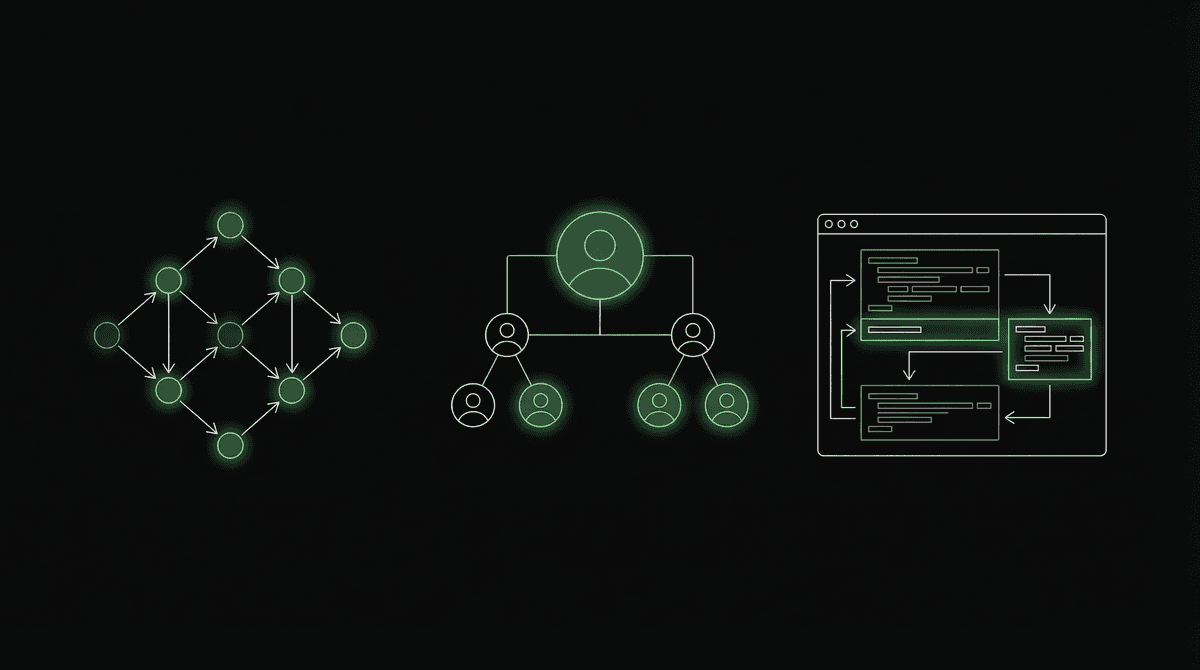
LangGraph, CrewAI, Claude Code — How Agent Frameworks Actually Differ
Three dominant approaches to building agents. Graph-based, role-based, and code-execution. Each makes different tradeoffs. Choosing wrong means rewriting everything in three months.
Last post: what agents are. The loop, the tools, the memory, the planning.
This post: how they get built. Three dominant approaches exist. Each makes different tradeoffs. Choosing wrong means rewriting everything in three months.
The Three Patterns
Pattern 1: Graph-Based (LangGraph)
LangGraph models an agent as a directed graph. Nodes are steps. Edges are conditions. The agent flows through the graph based on decisions at each node.
START
  |
  v
[CLASSIFY_INTENT] -- "scheduling" --> [LOOKUP_CALENDAR]
                  -- "medical"    --> [ESCALATE_TO_NURSE]
                  -- "billing"    --> [QUERY_BILLING_SYSTEM]
  |
  v
[LOOKUP_CALENDAR] --> [PROPOSE_TIMES] --> [CONFIRM_WITH_USER] --> [BOOK] --> END
Each node is a function. The LLM runs inside specific nodes (intent classification, response generation). Other nodes are pure code (database queries, API calls, validation).
LangGraph's architecture:
from langgraph.graph import StateGraph

# Define state (shared across all nodes)
class AgentState(TypedDict):
    messages: list
    intent: str
    patient_id: str
    appointment: dict

# Define nodes (functions that modify state)
def classify_intent(state):
    # LLM classifies user intent
    intent = llm.classify(state["messages"])
    return {"intent": intent}

def lookup_calendar(state):
    # Pure code: query database
    appointments = db.get_appointments(state["patient_id"])
    return {"appointment": appointments}

# Build graph
graph = StateGraph(AgentState)
graph.add_node("classify", classify_intent)
graph.add_node("lookup", lookup_calendar)
graph.add_edge("classify", "lookup", condition=lambda s: s["intent"] == "scheduling")
Strengths:
- Explicit control flow. You can see exactly what happens in what order.
- Deterministic where you want it (code nodes), flexible where you need it (LLM nodes).
- State management is built-in. All nodes share a typed state object.
- Debugging is straightforward. You can inspect state at every node.
- Cycles are supported (loops, retries, re-planning).
Weaknesses:
- Boilerplate. Even simple agents require graph definition, state typing, edge conditions.
- Rigid for open-ended tasks. If you can't predict the flow in advance, the graph becomes unwieldy.
- Learning curve. Graph-based thinking is unfamiliar to many developers.
When to use: You have a well-defined workflow with predictable branches. Customer support routing, IVF clinic call handling, document processing pipelines. Anywhere the "happy path" is known but the LLM needs to make specific decisions at specific points.
Pattern 2: Role-Based (CrewAI)
CrewAI models agents as team members with roles. Each agent has a persona, a goal, and access to specific tools. They collaborate on a task.
from crewai import Agent, Task, Crew

researcher = Agent(
    role="Market Researcher",
    goal="Find comprehensive data on voice AI in India",
    tools=[web_search, pdf_reader]
)

analyst = Agent(
    role="Business Analyst",
    goal="Analyze market data and identify opportunities",
    tools=[spreadsheet_tool, chart_tool]
)

writer = Agent(
    role="Technical Writer",
    goal="Write a clear, actionable market report",
    tools=[file_writer]
)

task = Task(
    description="Research Indian voice AI market and produce a competitive analysis",
    agents=[researcher, analyst, writer],
    process="sequential"  # or "hierarchical"
)

crew = Crew(agents=[researcher, analyst, writer], tasks=[task])
result = crew.kickoff()
The mental model: Instead of one agent doing everything, you decompose the task into roles. The researcher finds data. The analyst processes it. The writer produces the output. Each role has focused tools and expertise.
Process types:
- Sequential: Researcher -> Analyst -> Writer. Output of one feeds the next.
- Hierarchical: A "manager" agent delegates to workers and synthesizes results.
- Consensual: Agents discuss and reach agreement (experimental).
Strengths:
- Intuitive for non-engineers. "I need a researcher, an analyst, and a writer" is easy to understand.
- Role specialization. Each agent's system prompt is focused, leading to better outputs than one agent trying to do everything.
- Reusable agents. Define a "researcher" once, use it across many crews/tasks.
Weaknesses:
- Token cost multiplier. Each agent is a separate LLM call. A 3-agent crew costs 3x a single agent.
- Inter-agent communication overhead. Passing context between agents loses information.
- Less control over the exact flow. You define roles and goals; the framework handles the coordination.
- Debugging multi-agent interactions is harder than debugging a single agent's decisions.
When to use: Complex research or analysis tasks that naturally decompose into roles. Content creation pipelines. Multi-step business processes where different skills are needed at different stages.
Pattern 3: Code-Execution (Claude Code, Devin, OpenHands)
The agent writes and executes code to accomplish tasks. Instead of calling pre-defined tools, it writes arbitrary code, runs it, reads the output, and continues.
User: "Analyze the sales data in data.csv and create a visualization."

Agent:
  1. Reads data.csv (tool: file_read)
  2. Writes Python script to load CSV, compute statistics
  3. Executes the script (tool: bash)
  4. Reads the output: "Revenue up 23% in Q3"
  5. Writes another script to create matplotlib visualization
  6. Executes it, saves chart.png
  7. "Here's your analysis: Revenue increased 23% in Q3. Chart saved to chart.png."
The primary tool is a code execution environment. The agent writes whatever code it needs — data analysis, API calls, file manipulation, system administration.
Claude Code's architecture:
- The LLM (Claude) has access to: bash, file read/write, web search, and other tools
- It writes code, executes it, reads the output, and decides next steps
- The human reviews and approves actions (permission system)
- Context includes the full file system, git history, and project structure
Strengths:
- Unbounded capability. If it can be coded, the agent can do it.
- No pre-defined tool limitations. The agent adapts to novel tasks.
- Code is inspectable. You can read exactly what the agent did.
Weaknesses:
- Security risk. Arbitrary code execution requires sandboxing and permission systems.
- Expensive. Code generation + execution + result analysis = many LLM calls.
- Requires a strong LLM. Weaker models write buggy code that fails and wastes iterations.
- Harder to constrain. The agent might take unexpected approaches.
When to use: Software engineering tasks. Data analysis. System administration. Any task where the solution is best expressed as code rather than as a sequence of pre-defined API calls.
Framework Comparison
| Dimension | LangGraph | CrewAI | Claude Code |
|---|---|---|---|
| Mental model | Graph of nodes | Team of agents | Code execution loop |
| Control | High (explicit edges) | Medium (role-based) | Low (LLM decides everything) |
| Flexibility | Medium | Medium | High |
| Cost efficiency | High (minimal LLM calls) | Low (multi-agent overhead) | Medium-High |
| Debugging | Easy (state inspection) | Hard (multi-agent traces) | Medium (code is readable) |
| Learning curve | High (graph concepts) | Low (intuitive roles) | Low (just chat) |
| Best for | Defined workflows | Research/analysis | Engineering tasks |
| Worst for | Open-ended exploration | Cost-sensitive apps | Non-technical tasks |
The Honest Take on Frameworks
Most agent frameworks are over-engineered for what people actually need.
If your task is: "User says X, call tool Y, respond with Z" — you don't need a framework. A simple loop with tool calling and a well-crafted system prompt handles 80% of agent use cases:
messages = [system_prompt, user_message]

while True:
    response = llm.generate(messages, tools=available_tools)

    if response.has_tool_call:
        result = execute_tool(response.tool_call)
        messages.append(response)
        messages.append(tool_result(result))
    else:
        # Text response - task complete
        return response.text
That's 15 lines. It handles multi-step tool calling, context accumulation, and autonomous action. No framework needed.
Production Considerations
Observability
In production, you need to see what the agent is doing:
- Which tools were called, in what order, with what parameters
- What the LLM decided and why (the reasoning in its output)
- Where failures occurred
- How long each step took
- How much each step cost
LangSmith (by LangChain/LangGraph) provides this for LangGraph agents. For custom agents, you need to build logging into the loop.
Guardrails
The agent should not be able to:
- Call tools it shouldn't have access to
- Pass parameters that are out of bounds
- Execute more than N steps (infinite loop prevention)
- Take actions without user approval (for destructive operations)
- Exceed a cost budget (cap total LLM spending per task)
Error Handling
Tools fail. APIs time out. Databases return unexpected data. The agent needs to handle these gracefully:
- Retry with backoff: Transient failures (API timeouts) should be retried
- Alternative approaches: If tool A fails, try tool B
- Graceful degradation: If the agent can't complete the full task, deliver what it has
- Inform the user: "I couldn't access the calendar system. Here's what I can tell you without it."
Next post: Multi-agent systems. When one agent isn't enough — router patterns, debate patterns, and how Nyxa orchestrates 7 specialized agents with shared memory.